You’ve spent weeks or months planning your event. The speakers have prepared their presentations, the stage is ready, the cameras are rolling - and a few hours later, it’s all over.
But the content doesn’t have to be.
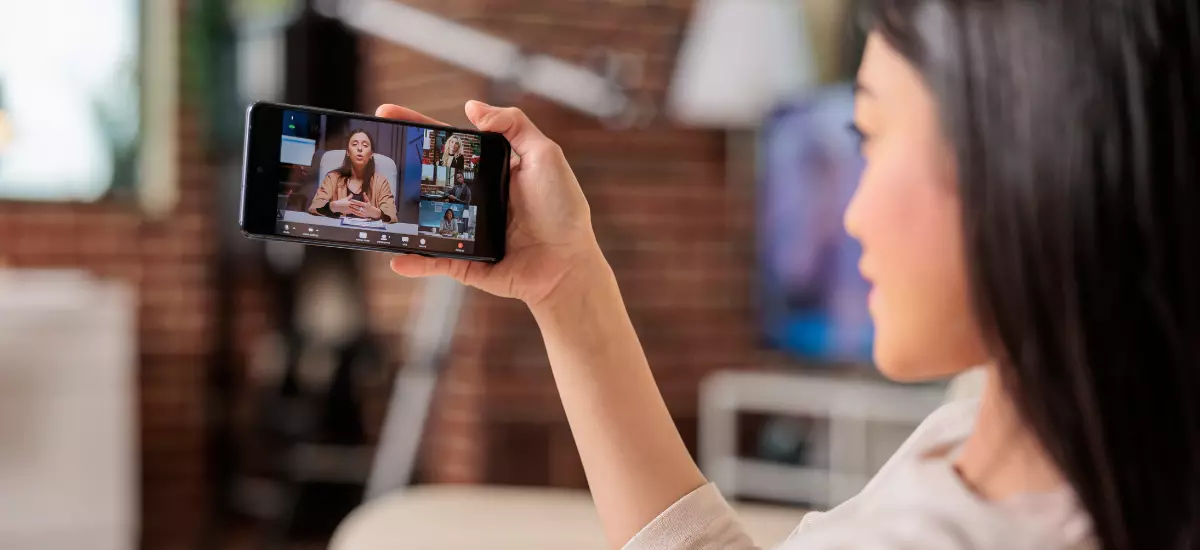
If your event is already being professionally filmed or live streamed, you’re potentially capturing hours of valuable video content that can be repurposed long after the audience has gone home.
With a little planning, one event can provide weeks - and sometimes months - of content.
Start thinking about content before the event
One of the biggest mistakes is deciding what to do with an event recording after the event has finished.
If you know beforehand that you want to create additional content, your production team can film with that in mind.
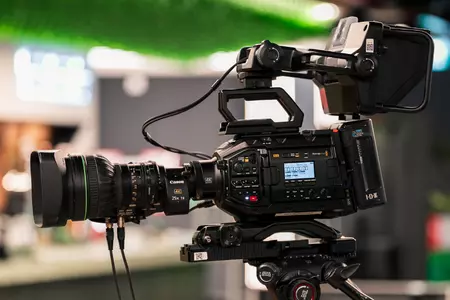
That might mean recording isolated camera feeds, capturing clean presentation slides, recording high-quality audio separately or getting additional shots of the venue, audience and speakers.
You might also deliberately capture interviews or short pieces to camera while your speakers and guests are already in the same place.
A relatively small amount of additional planning can significantly increase what you’re able to create afterwards.
Turn presentations into standalone videos
A conference containing six presentations doesn’t necessarily have to become one six-hour recording.
Each session can become its own piece of content.
Individual talks, panel discussions, demonstrations and keynote presentations can be edited into standalone videos and uploaded to your website, YouTube channel, learning platform or internal communications system.
For viewers, it’s far easier to find and watch the specific session they’re interested in. For the organisation, one event suddenly becomes a library of useful video resources.
Create short clips for social media
You don’t need to publish an entire 40-minute presentation on LinkedIn to get value from it.
Look for the strongest 30 seconds, a surprising statistic, a useful answer or a particularly interesting point from a speaker.
A longer session could produce several short clips suitable for LinkedIn, Instagram, YouTube Shorts or other social platforms.
Add subtitles, branding and a simple introduction and you’ve got social content that can be scheduled over the following weeks.
Instead of constantly asking “what should we post this week?”, you’ve already captured it.
Use event content for internal communications
Not every piece of content needs to be public.
Corporate events, town halls, training sessions and leadership presentations can provide valuable internal communications material.
Important announcements can be clipped into shorter updates. Training sessions can be divided into individual topics. A CEO presentation could become a short message for colleagues who couldn’t attend.
This can be particularly valuable for organisations with teams working across different offices, countries, shifts or time zones.
Rather than expecting somebody to find an important section within a two-hour recording, give them the five-minute section they actually need.
Build a training and learning library
Some event content has a much longer lifespan than the event itself.
Technical presentations, demonstrations, workshops and expert talks can become training resources for employees, customers or partners.
Individual sessions can be edited, categorised and stored in a searchable video library or learning platform.
You could also combine material from several events over time to create a growing bank of educational content.
Turn video into written content
Video doesn’t have to stay as video.
Transcripts from presentations and panel discussions can provide the starting point for blog articles, FAQs, website content, newsletters and social posts.
A 30-minute discussion between several industry experts could contain enough ideas for several separate articles.
AI transcription tools have made this process considerably faster, but human editing is still important. The aim shouldn’t be to publish a transcript word-for-word - it should be to identify the strongest ideas and turn them into content people genuinely want to read.
Create a highlights video
Sometimes you don’t need the detail - you need the atmosphere.
A short event highlights film can combine speakers, audience reactions, venue shots, branding and key moments into a concise overview of the day.
This can be useful for promoting the next event, showing potential sponsors what to expect, supporting future ticket sales or simply demonstrating the scale and quality of the event.
Capturing this properly is much easier when it has been planned in advance. Your camera team can then look beyond the stage and make sure they’re filming the moments needed for the final edit.
Give speakers content they can share
Your speakers can become another distribution channel for your event.
Providing speakers with professionally edited clips from their presentations gives them something useful to share with their own networks.
The speaker gets good-quality content featuring their expertise, while your organisation gains additional exposure when they share it.
You can also create branded versions that clearly reference the event.
Support PR and future marketing
Event footage can continue working for you when promoting next year’s event.
Instead of simply telling potential delegates what happened, you can show them.
Speaker clips, audience shots, highlights and testimonials can be incorporated into promotional videos, event landing pages, email campaigns and social content.
For recurring conferences, exhibitions and awards events, building a good content library each year can make the next event considerably easier to market.
Don’t forget the content happening around the event
Some of the best content might not happen on stage.
If you have industry experts, customers, partners or senior members of your organisation in one place, take advantage of it.
Set aside a small interview area and ask attendees a few questions. Capture customer testimonials. Ask speakers for their biggest takeaway from the day. Film quick reactions after sessions.
These clips can feel much more natural than arranging separate filming days months later.
And because the cameras, lighting, crew and contributors are already there, it can be a very efficient way to produce additional content.
Think about different audiences
The same piece of content doesn’t have to be edited in the same way for everyone.
A full presentation might be useful for someone working in that particular industry. A two-minute summary might suit a customer. A 30-second clip could work on social media. An internal version might focus on what employees need to know.
Repurposing isn’t simply cutting one video into smaller pieces. It’s about taking the information you’ve captured and presenting it in the most useful format for each audience.
Get more value from the production you’re already paying for
Professional event filming represents an investment, but its value shouldn’t necessarily be measured by what happens on the day alone.
If you’re already bringing in cameras, crew and production equipment, think about what else you could capture while they’re there.
One event could give you:
- Full session recordings
- Individual speaker videos
- Social media clips
- A highlights film
- Customer or attendee testimonials
- Internal communications videos
- Training resources
- Website content
- Blog and newsletter material
- Promotional content for your next event
Suddenly, the cost of filming isn’t attached to one day’s event. It’s contributing to your content strategy for weeks or months afterwards.
Make the recording part of your event plan
The best time to decide how you’ll repurpose event content is before anyone presses record.
Think about who will use the content, where it will be published and what formats you’ll need. Your production team can then make sure the right footage, audio and supporting material are captured on the day.
At Stream7, we provide event filming, live streaming and content creation alongside our wider technical event production services. That means we can consider both the live event and what happens to the content afterwards when designing a production.
If you’re planning an event, speak to us about how you could turn one day of filming into content that continues working long after the event is over.